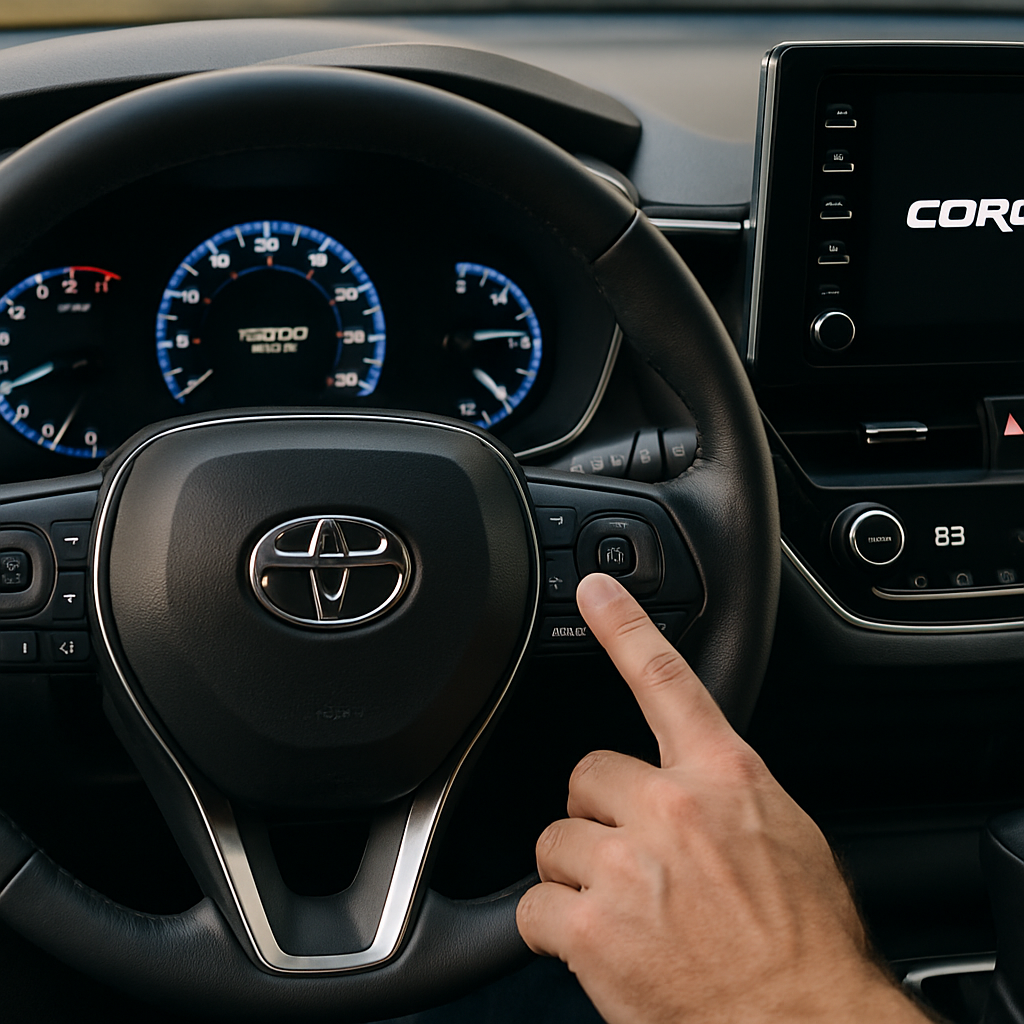
To reset a Toyota Corolla maintenance light after the required service has been completed, use the trip-meter reset control and keep it held through the instrument-panel reset sequence. The procedure described by Haynes for resetting a Corolla maintenance light ends when the odometer display runs through its dash/countdown indication and then shows zeros. Switch the ignition off, start the car normally and confirm that the maintenance reminder is no longer illuminated.
The important limitation is that Corolla controls, display wording and the steps needed to enter reset mode can differ by year, market and instrument-cluster design. If your display does not behave as described, do not guess at ignition positions, button timing or menu settings: use the owner’s manual for your exact Corolla or ask a service professional for help.
Before You Reset the Reminder
A reset records or restarts the vehicle’s maintenance-reminder cycle; it does not change the oil, carry out an inspection, repair a fault or establish that the car is safe to drive. Check that the applicable maintenance has genuinely been completed and recorded before clearing the reminder.
If you are unsure what service is due, consult your handbook and service records rather than assuming every Corolla follows the same mileage interval. Our Toyota Corolla maintenance schedule guide is a useful starting point for broader service planning. If you are doing the oil service yourself, see our guide on how to change your oil.
How to Reset the Toyota Corolla Maintenance Light
First, look closely at the instrument panel. This guidance concerns an indicator your Corolla’s manual identifies as a routine maintenance or service reminder, often labelled with wording such as “Maintenance Required.” Do not assume that every amber light or engine-related message is the same reminder.
- Confirm the service is complete. Reset the reminder only when the required maintenance for the vehicle has been carried out.
- Use the trip-meter reset control to begin the reset procedure specified for your Corolla. The supplied evidence supports a trip-meter-button reset pattern, but not one identical entry sequence for all Corolla years and instrument clusters.
- Keep holding the control through the completion display. Haynes describes the odometer showing a series of dashes that count down, followed by zeros. Do not release the control before that reset indication has finished.
- Switch the ignition off. Then start the Corolla normally.
- Verify the result. The maintenance reminder should no longer be illuminated. If it remains on, repeat the procedure carefully and make sure the reset sequence reached its dash/zero completion indication.
This is deliberately a qualified method, not a substitute for the exact instructions in the handbook. The available source confirms the dash-to-zero completion behaviour and the post-reset check, but does not verify a complete button-and-ignition sequence for every Corolla model year.
If the Light Does Not Reset
- Try the procedure again from the beginning, ensuring the trip-meter control stays held until the display completes the reset indication.
- Check the exact dashboard wording and symbol. You may be looking at a warning other than the normal maintenance reminder.
- If the button layout, display or result differs from this description, consult the owner’s manual for the precise year and configuration of your Corolla.
- Seek service assistance rather than attempting repeated resets if the panel shows an engine-related message, a check-engine light or any warning you cannot identify.
Corolla Model-Year Navigation: 2007–2017 Searches
The following table is a navigation aid for common Toyota Corolla maintenance-light searches. Each year is covered by the general trip-meter reset pattern above, but that is not proof that every version uses the same button position, ignition state, display wording or timing. Confirm the exact procedure in the owner’s manual for the vehicle in front of you.
| Corolla model year | What to use from this guide |
|---|---|
| 2007 | Use the general trip-meter reset pattern and confirm the exact sequence in the 2007 owner’s manual; an identical procedure is not verified here. |
| 2008 | Use the general trip-meter reset pattern and confirm the exact sequence in the 2008 owner’s manual; an identical procedure is not verified here. |
| 2009 | Use the general trip-meter reset pattern and confirm the exact sequence in the 2009 owner’s manual; an identical procedure is not verified here. |
| 2010 | Use the general trip-meter reset pattern and confirm the exact sequence in the 2010 owner’s manual; an identical procedure is not verified here. |
| 2011 | Use the general trip-meter reset pattern and confirm the exact sequence in the 2011 owner’s manual; an identical procedure is not verified here. |
| 2012 | Use the general trip-meter reset pattern and confirm the exact sequence in the 2012 owner’s manual; an identical procedure is not verified here. |
| 2013 | Use the general trip-meter reset pattern and confirm the exact sequence in the 2013 owner’s manual; an identical procedure is not verified here. |
| 2014 | Use the general trip-meter reset pattern and confirm the exact sequence in the 2014 owner’s manual; an identical procedure is not verified here. |
| 2015 | Use the general trip-meter reset pattern and confirm the exact sequence in the 2015 owner’s manual; an identical procedure is not verified here. |
| 2016 | Use the general trip-meter reset pattern and confirm the exact sequence in the 2016 owner’s manual; an identical procedure is not verified here. |
| 2017 | Use the general trip-meter reset pattern and confirm the exact sequence in the 2017 owner’s manual; an identical procedure is not verified here. |
This article does not provide a procedure for newer Corolla models, Corolla Cross models or a particular menu-based maintenance setting. Those vehicles may use different controls, and the available evidence does not validate a procedure for them.
What the Corolla Maintenance Light Means—and What It Does Not Tell You
Where the vehicle manual identifies the illuminated indicator as a maintenance reminder, its purpose is to help keep track of service intervals. That is why resetting it after service matters: clearing it prematurely can make it harder to keep an accurate record of when maintenance was last performed.
It is not a diagnosis. A maintenance reminder does not identify a failed part, explain an engine problem or prove that every system has been inspected. Equally, resetting it does not correct an underlying mechanical fault. Treat the wording and symbol shown on the dashboard as the starting point, then use the owner’s manual to identify that exact indicator.
Maintenance Reminder Versus Check-Engine and Engine-Related Warnings
A routine “Maintenance Required” reminder is not automatically the same as a check-engine light, another warning lamp or an “Engine Maintenance Required” message. These labels should not be treated as interchangeable merely because they contain similar words. Clearing a service reminder neither clears nor explains a diagnostic warning.
If a check-engine light appeared after servicing, use our guide to a check-engine light after an oil change for appropriate next steps. Do not attempt to solve it by resetting the maintenance reminder.
The available research does not define the exact “Engine Maintenance Required” message, connect it to a particular Corolla system or establish whether continued driving is safe. Therefore, this guide cannot give a safe-to-drive verdict for that message. Check the exact warning description in the relevant owner’s manual and obtain prompt professional guidance if an engine-related warning is present—particularly if it is accompanied by abnormal running, overheating, smoke, fluid loss or other urgent symptoms.
Quick Reset Checklist
- Verify that the required maintenance has been completed.
- Identify the dashboard indicator; do not confuse a maintenance reminder with an engine or diagnostic warning.
- Follow the reset process for the exact Corolla, using the trip-meter control only as supported by its manual.
- Hold the control until the dash/countdown sequence completes and zeros appear.
- Switch the ignition off, start normally and check that the maintenance reminder is no longer illuminated.
- If it remains on or the display differs, use the correct owner’s manual or obtain service assistance rather than forcing a generic procedure.
Pingback: Chevy Silverado P0171 and P0174: Meaning, Common Causes and How to Diagnose the Lean Codes - Premier Motoring Blog